News and Updates

Author Archive

New Release: Ether and Ichor Siphons

Monday, February 25th, 2019


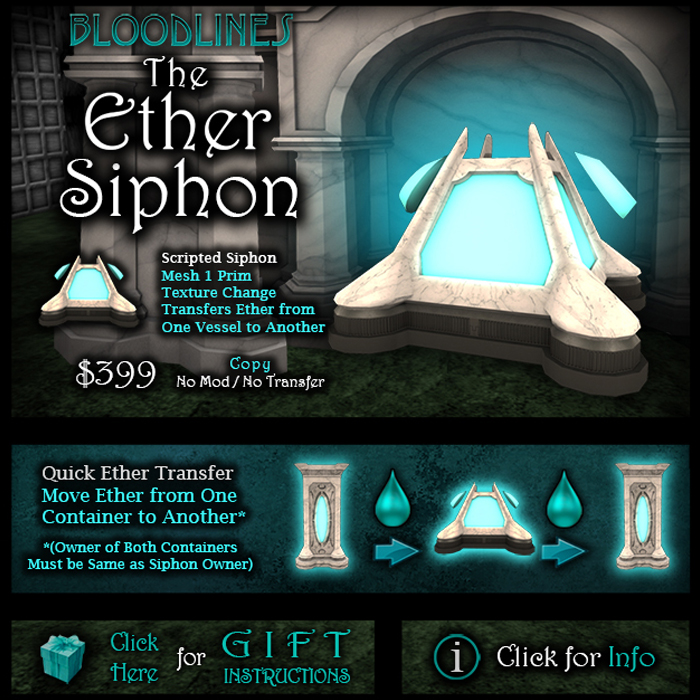
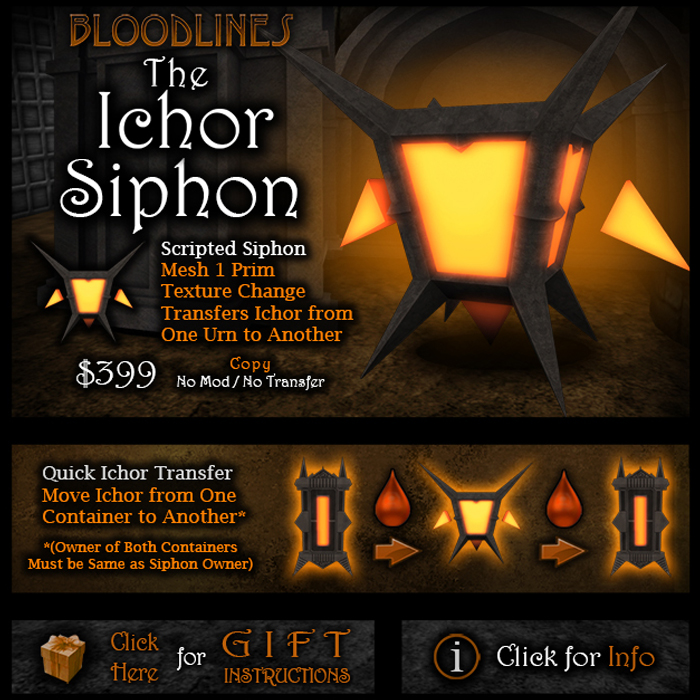
We’ve just released the Ether and Ichor Siphons! Now you can more easily and quickly transfer large amounts of Ether and Ichor between your Vessels and Urns.

If you’re familiar with our other siphons, we’ve updated these to be easier to use. There are fewer menus to click through, you only need to select ‘siphon’ on the siphon menu, then press the select button on your source container, then press the select button on your receiving container, then select the amount.

You can read more on the Ether Siphon and Ichor Siphon gear pages. You can buy the Ether Siphon at Bloodlines North, and you can buy the Ichor Siphon at Bloodlines South.

Families Section Updates

Monday, January 21st, 2019

We wanted to let you all know that we’ve set up caching for the families section of the Bloodlines website. This means two things:

  1. The families listing and family profile pages should load faster.
  2. Any stats on the pages are going to be temporarily cached. This means that any stats you view in the family listing or on the main family profiles may be up to 5 minutes old. If you notice that a stat isn’t updating on your family profile, just wait about 5 minutes and refresh the page.

If you want to view live non-cached stats for achievements, you can go to your family’s achievement or soul war progress page by clicking on the ‘view progress’ links on your family’s profile.

Achievement Rankings Updates

Wednesday, September 19th, 2018

We’ve made a few changes to the achievements rankings on the website that we wanted everyone to be aware of. The changes are explained below.

  1. Soul War player medals rankings for current month added:
    We realized that the player medals and family medals rankings were not showing medal rankings for the current month, they were showing all-time medals progress. We’re keeping both of these rankings, and we have added rankings for player medals for the current month and family medals for the current month. Ties in these rankings are broken by all-time medals progress.
  2. New ranking for top achievements players:
    We’ve added a new ranking called Top Players Combined. This ranking combines overall achievement progress with current Soul War medals. It ranks players in the following order: overall achievement progress, total achievement levels, current month soul war medals, all time soul war medals, then total achievements. We have updated the top players ranking on the home page to this ranking. We believe this ranking more accurately reflects current players efforts towards achievements.

Bloodlines is hiring!

Tuesday, June 12th, 2018

Do you want to join the team that makes Bloodlines, or know someone who might? We are currently seeking a full-time developer to help us build the next generation of Bloodlines updates. We’re looking for candidates with experience in front and back end web application development, database administration, and LSL scripting. Artistic ability, 3D, and game design experience is a plus. Candidates must be located in the US. For more information, please contact Lyle Maeterlinck in-world.

Addressing Achievement Issues

Monday, May 14th, 2018

A number of players have reported a some problems to us when doing achievements on the new HUD versions, specifically with those achievements counting for the Soul War. We wanted to let you know that we are aware of these problems, and they have been fixed for all new achievements going forward. However, we need some time to retroactively apply Soul War counts to some accounts that missed them during the days that they were not correctly counting.

These are the problems that we have identified and fixed:

  1. “Hunting” achievements, such as Blood River / Blood Storm, Moon River / Howling, and Human Charmer / Blood Doll collector were all working properly, but they were not updating the linked Soul Keeper achievements. The logging issue was fixed on May 10, but there may still be some people where we need to fix their Soul Keeper Achievements. If your Soul Keeper achievement is incorrect, it will soon be repaired.
  2. Berserk achievements were counting for overall achievements, but not counting correctly for the Soul War. This problem was fixed on May 11.
  3. For daily achievements, daily maximums were not counting correctly. This is the routine that keeps track of your highest daily count during the soul war, and increases it if your current daily count exceeds it. This problem was fixed this morning, 5/14. Daily maximums are now counting correctly, and we are going to rebuild the daily maximums from our logs for anyone whose daily maximum didn’t update

We appreciate your patience while we build the routines that will repair these issues. We will update this blog post with more information.

To be clear though – any attacks made with the Angel and Demon HUDs do not yet count towards achievements (Embracer, Enrager, etc.). We do plan on integrating these HUDs and attacks into achievements (as well as creating new specific achievements for Angels and Demons) but for the time being be aware that they do not generally count. An exception is the Determined achievement, which will tally with the new HUDs.

If you see any other problems with your stats or achievements, please create a support ticket at slbloodlines.com/support, and we will get back to you as soon as possible. Thanks!


Problem in last night’s family rebuild routine

Tuesday, May 8th, 2018

Well, last night, we had a problem in our family rebuild routine that caused everyone’s status to be set to destroyed, and for soul totals to not be updated correctly. The good news is that this is 100% fixable, and we have routines chewing through the necessary fixes now. We should have everyone’s status and soul total updated correctly within the next hour.

We’re very sorry for the inconvenience on this, and we thank you for your patience with us while we get this fixed.

Bloodlines Updates, Maintenance, and Stats (Resolved)

Thursday, April 12th, 2018

Last week, Bloodlines experienced some issues related to our move to a new hosting environment. We wanted to take the opportunity to explain what happened, why it happened, and what we’ve done to resolve it.

On Friday, April 7, we sent out group notices and put out a blog post warning everyone with very short notice that the Bloodlines system was going to go down temporarily for scheduled maintenance. The reason for this was so we could re-point our server side systems to a new hosting environment that we had been preparing. We expected to be able to complete the changeover in about 15 minutes, which was about right for the majority of our systems, including the vendor system, and the application that interfaces with Second Life. However, we experienced an unexpected problem with the Bloodlines website that took us several hours to resolve so we could bring the website up again.

The Curse, which reduces metrics every night at midnight, was canceled for the night of 4/7, because of the maintenance, and was resumed the following night, Saturday. The Curse routine was running on our new host in a new environment on Saturday night, and another unexpected issue caused it to be retried 10 times, which means that many people were destroyed, lost souls, and lost 10x as much blood and lumens as they should have. As soon as this problem was discovered on Saturday morning, all destructions were immediately reversed, everyone who had lost souls as a result of this had them returned, and we ran routines to restore all lost blood and lumens to everyone who had lost them the night before. We realized today that while these routines restored metrics to the majority of players who lost them, they missed approximately 1000 players. Those players had blood and lumens restored today.

We were only able to restore blood and lumens directly to the member accounts of those who had enough room to hold the extra metrics. Anyone who didn’t have enough room in their veins to hold the restored metrics had them returned to their reserve accounts. Reserve accounts can be accessed by filling the metrics into the container at any refill station.

For many accounts, we were not able to restore the exact metrics that may have been had before the Curse error, so in some cases were erred on the side of returning too many metrics rather than too few. So if you find yourself with slightly extra that you had before the error, consider this a gift from us in return for the hassle!

Our new hosting environment is vastly more robust than our previous environment, and will allow us to recover from problems much more quickly, and to automatically scale the capacity of our systems in response to demand. The quick translation is that the game will run faster, and we’ll have far fewer outages!

In conclusion, we think we’ve resolved everything from the transition – however if you believe that you are still missing any stats, souls, or metrics as a result of these problems, or if you have any questions, please create a ticket at slbloodlines.com/support, and we will get back to you as soon as possible.

Thanks!

HUD Updates: Mesh Fangs, Claws, The Nexus Object

Wednesday, January 17th, 2018

We’re pleased to announce updates to all of the Bloodlines HUDs: The Thirst, The Rage, The Human HUD, and The Fury. There are significant updates included in this version, including new, bento-enabled mesh vampire fangs and lycan claws, and a new attachment we call The Nexus Object.

A different Nexus is included in The Thirst, The Rage, and The Human. The Fury HUD interacts with the Rage and Thirst Nexus Objects. The functionality that existed prior to today in the claws and fangs is now in the Nexus, and claws and fangs are now just cosmetic attachments used for effect. The Nexus Object will be used from now on to hold your custom Bloodlines bite and claw animations.

In the process of upgrading, you will need to move any custom animations from your old fangs and claws into your Nexus. Please see the instructions pages for the various systems for detailed instructions for moving your animations from your fangs and claws to your Nexus Object. The Nexus Object will also be important in our upcoming RPG expansion, and this update can be considered a preliminary update to that expansion!

We’ve tried to include fangs and claws that will fit the vast majority of mesh and non-mesh avatars out there. If you find that none of the fangs or claws fit you well, you are free to use third-party attachments, attachments you make yourself, or none at all. As long as you’re wearing the Nexus Object, everything will still work.

We’ve also brought HUD skins that we released previously on the Fury to the Thirst, Rage, and Human HUDs, and we’ve fixed multiple issues with animations that have been reported to us.

We hope you enjoy this update!


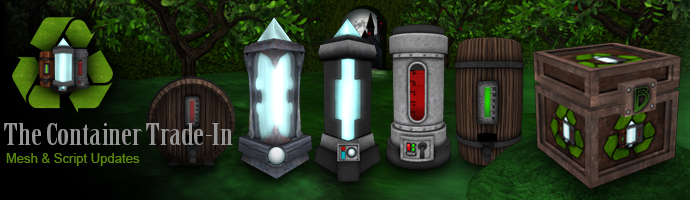
Blood, Lumen, and Cider Containers Version 7: Update and Trade-In

Thursday, September 21st, 2017

Today we’re announcing the release of Vital Blood, Lumen, and Cider containers version 7. This update contains a few minor script updates, and more extensive updates on the actual meshes themselves. Here is a list of updates we’ve made to these containers:

  1. On the Cider Barrels, Casks, and Bone and Iron Prisms, the meshes have been updated with new UV maps to allow us to release more extensive custom and rare textures and gacha textures for these items. Bone and Iron Prisms now include a “cabinet” around the central crystal that can be textured or transparent, depending on the texture released.
  2. Bug fixes:
    1. On tanks, the local chat that was printed when the ‘info’ button was pressed reported the incorrect access mode. It reported ‘Fill Only’ when it was actually ‘Fill / Drink’, and vice versa. The mode was being set correctly and displayed correctly in the hover text, just reported incorrectly to the owner when the info button was pressed, and this has been fixed in version 7.
    2. The Next / Previous buttons weren’t working on the texture menus if there were more textures than would fit on a single menu, this has been fixed.
    3. We fixed a few minor things regarding textures, and making sure that all containers have the correct texture displayed on rez.

Trading In Your Containers

If you’ve purchased any kind of container from Liquid Designs in the past, you should automatically be delivered an object called ‘Bloodlines Container Trade-In Machine’. It will come from a server named ‘Liquid Update System’. The machines may take some time to deliver, but if you want to get yours right away, you can come to any Bloodlines store and click on the vendor titled ‘Container Trade-In Machine’, and it will be delivered to you.

You’re not required to update your containers, but this machine gives you the option to. The trade-in machine will work for any container that has a button labeled ‘Select’ on the main menu. We added ‘Select’ buttons to containers starting with version 2 to allow the containers to interface with other objects like siphons, bottles, and refill stations. Version 2 was released in the summer of 2008. Any new container bought since then should have a select button, and should be able to be traded in with the trade-in machine. So, the only containers that won’t be able to be traded in are ones purchased in the first few months that Bloodlines was released.

You can use the trade-in machine on one container at a time to trade them in. The trade in process works like this:

  1. Rez your Bloodlines Container Trade-In Machine near your containers. Make sure that the container you wish to trade in does not have a custom texture applied to it, make sure it has a default texture applied. You can set this by touching your container and selecting Texture > Default, and then selecting one of the options. If you don’t have any custom texture licenses, the menu will skip the ‘Default’ selection screen, and go straight to your default textures.
  2. Touch the machine, you will get a menu with ‘Start’ and ‘Cancel’ options. Press start to begin.
  3. Touch your container, and press the ‘Select’ button on the menu.
  4. Your container will be checked by our system to see if it can be traded in. If it can’t, you will get a message in local chat and the process will be canceled. If it can, you will get another menu with ‘Trade’ and ‘Cancel’ buttons on it. Press Trade to trade in your container.
    1. If your container was full, you will be delivered a new Version 7 full container.
    2. If your container was empty, you will get a new Version 7 empty container.
    3. If your container was partially full, you will get a new Version 7 empty container, and any Vital Blood, Lumens, or Cider that was contained in it will be moved to your Metric Reserve. You can view the amounts of your metric reserve by going to your Blood Cellar, Lumen Vault, or Cider Tavern (click on your container icon on your Bloodlines profile) on slbloodlines.com. You can access these metrics through the refill stations on Liquid Estate.
  5. Your old container will be remotely deactivated and emptied. Please delete or discard your old container in order to reduce the possibility of confusion when old deactivated containers show up in your inventory. If you really want to keep your old container, we can’t stop you, but we recommend keeping them organized and separated in your inventory, perhaps in a folder named “Deactivated containers”. It goes without saying, but do not try to sell or transfer away these old containers.

Also, a word of warning to anyone who wants to purchase aftermarket containers: there will inevitably be some who will try to con others into buying their old deactivated containers. There have always been deactivated containers floating around out there for various reasons. Be careful and never purchase a container without testing it yourself. See our post on how to buy an aftermarket blood container.


Scheduled Maintenance Part 3 (last one)

Thursday, July 13th, 2017

Bloodlines systems will be unavailable today, Thursday, July 13 from 4-4:05pm SL time for scheduled maintenance. We’re sorry for the short notice on this, and any inconvenience that it causes. Thanks for your patience during this time. If you miss any purchases during this time, or have any questions, please contact Lyle Maeterlinck in-world.